Digital rights
Here you can find more information about our Digital rights management in the system. What is an image rights package, what does it look like and what should be considered when uploading and downloading assets.
Copyrights
The legal componentwhen using assets is of course essential for us.
We must ensure at all times that assets are only processed further within the scope of the applicable usage rights. Therefore, certain data such as author, source, licenses, restrictions on use, contact person, etc. are mandatory when editing metadata.

Important information for our european sites
Please read this information if product shoots are created at your site.
In cases that deviate from standard processes, e.g. product shoots in a shop (e.g. CEWE Fotolab) and/or product shoots with the participation of CEWE employees, it is important that a legal check is carried out in the respective country. It must be ensured that the photographs taken are covered by the existing employment contracts of the employees taking photographs or is being photographed and that CEWE holds the necessary rights for commercial use of the images. If this is not the case, additional agreements may have to be made with the employees concerned.
Legal issues and employment contract clauses relating to European locations must be examined and clarified in accordance with the respective national law. Legal Counsel of CEWE Stiftung & Co. KGaA in Oldenburg cannot provide any assistance for these specific enquiries. It is recommended to consult a local legal expert to fully clarify the situation and ensure that all legal requirements for such product shoots are met.
Digital rights package
What is a digital rights package, what is in it and what happens during downloads?
Intro
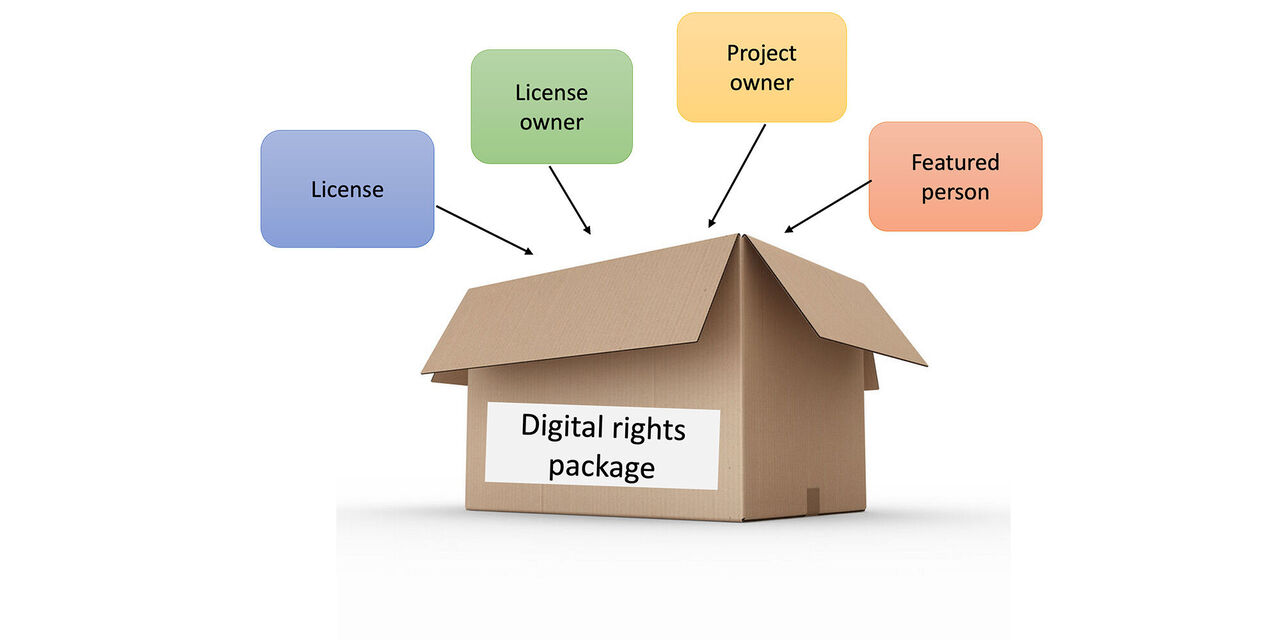
In a digital rights package we collect the usage rights and licenses that will then be linked to the respective assets and made retrievable. The content of the package are information on licenses, license owner, project owner and featured persons. In the future the system will ask for the relevant information during uploads. This ensures that only assets with all relevant licenses can be uploaded.
Digital rights package in an assets
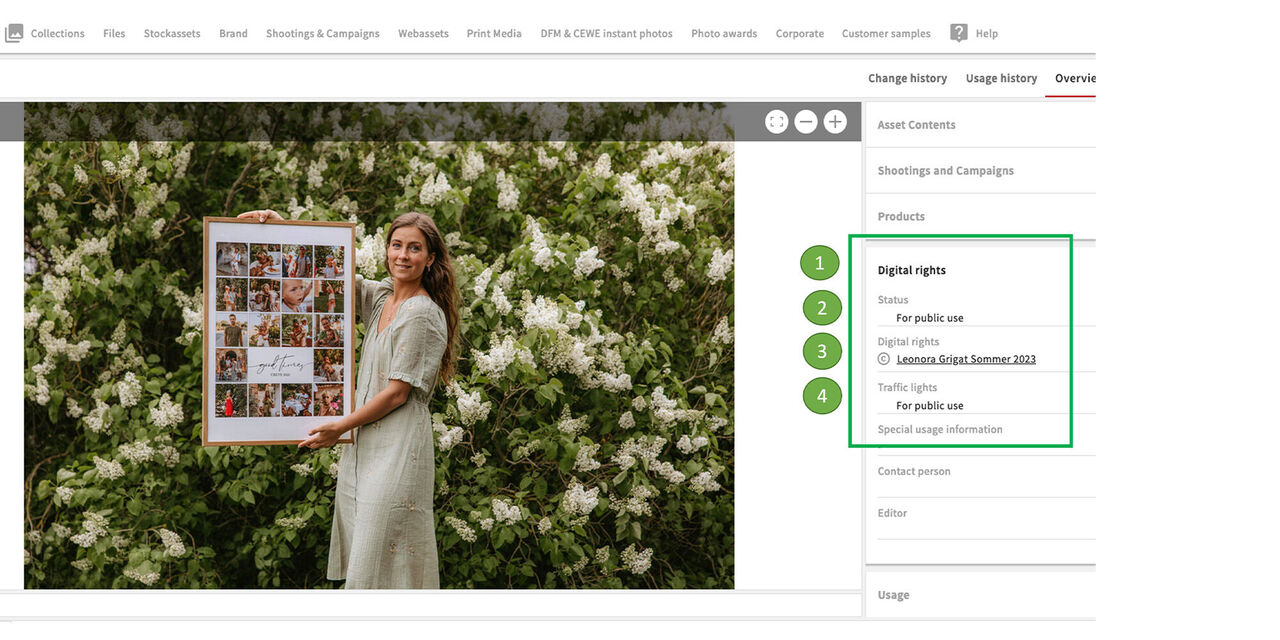
If you pull up an asset and look at the metadata, you will find the category
- Digital rights
There you will find:
- Status
- Digital rights package
- Traffic light
Contents of the package
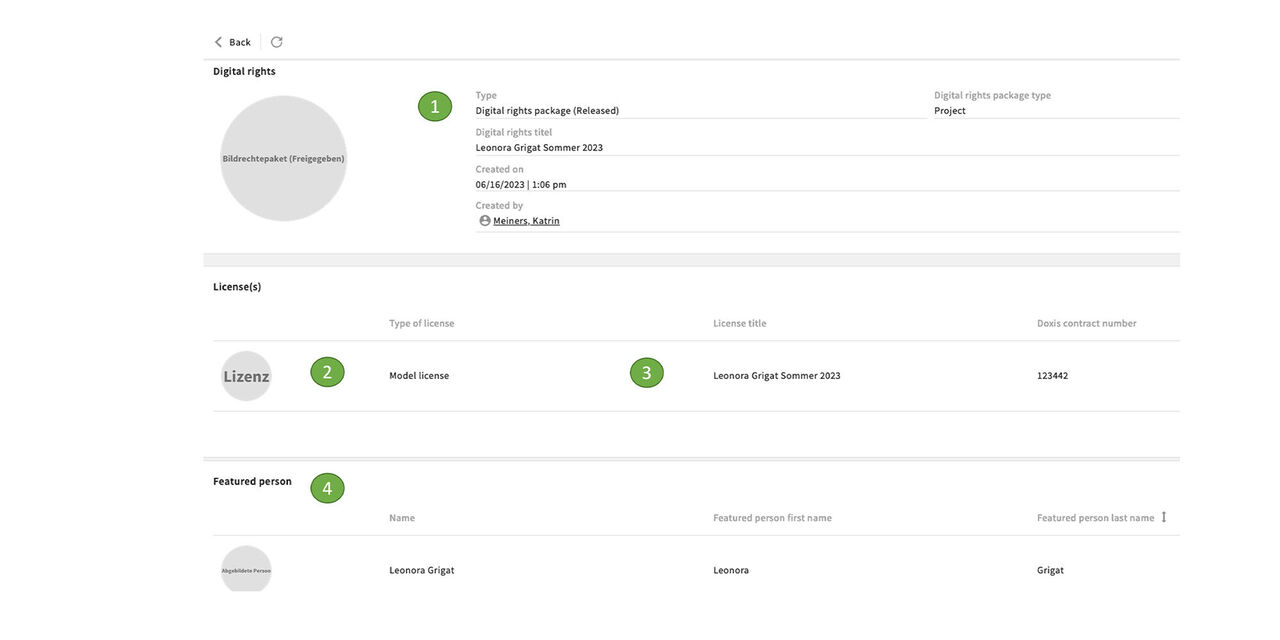
If we click on the package, we get the following details:
- Name and type of the Digital rights package - here project "Leonora Grigat Summer 2023"
- A model license with the same title is included
- Featured person is Leonora Grigat
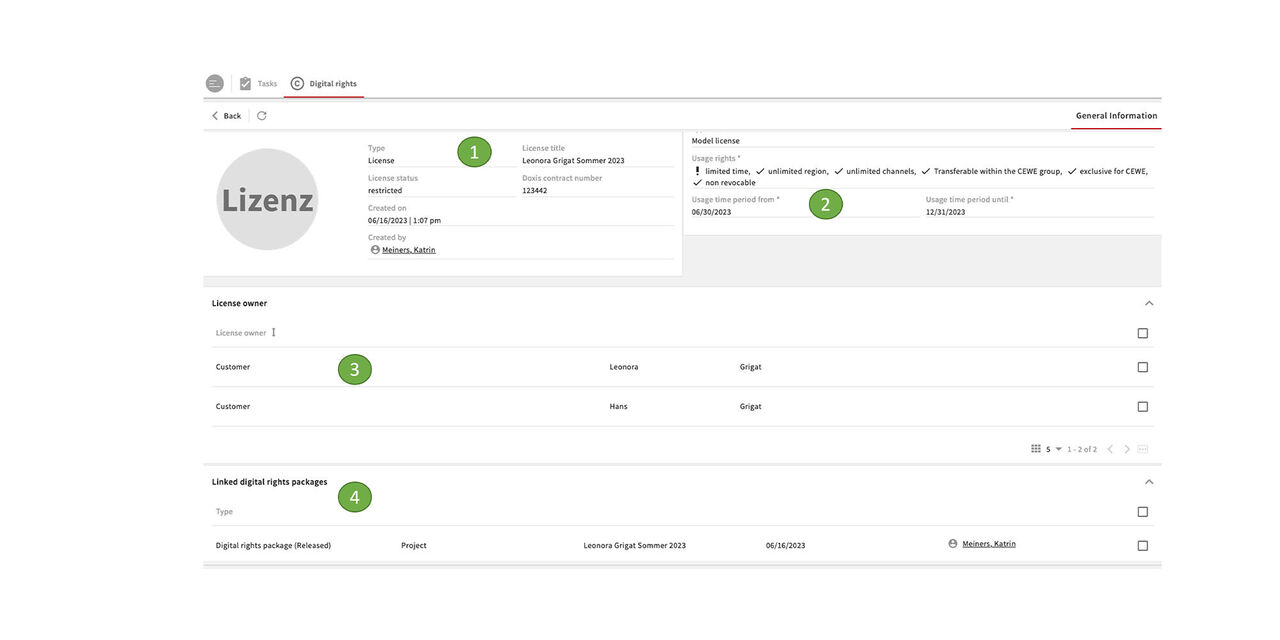
License in the package
Within the package you can display the different elements, e.g. the included licenses, to see the details.
- License is "restricted"
- Usage rights of this model license
- License owner type is "customer"
- License is linked with the Digital rights package "Leonora Grigat Summer 2023"
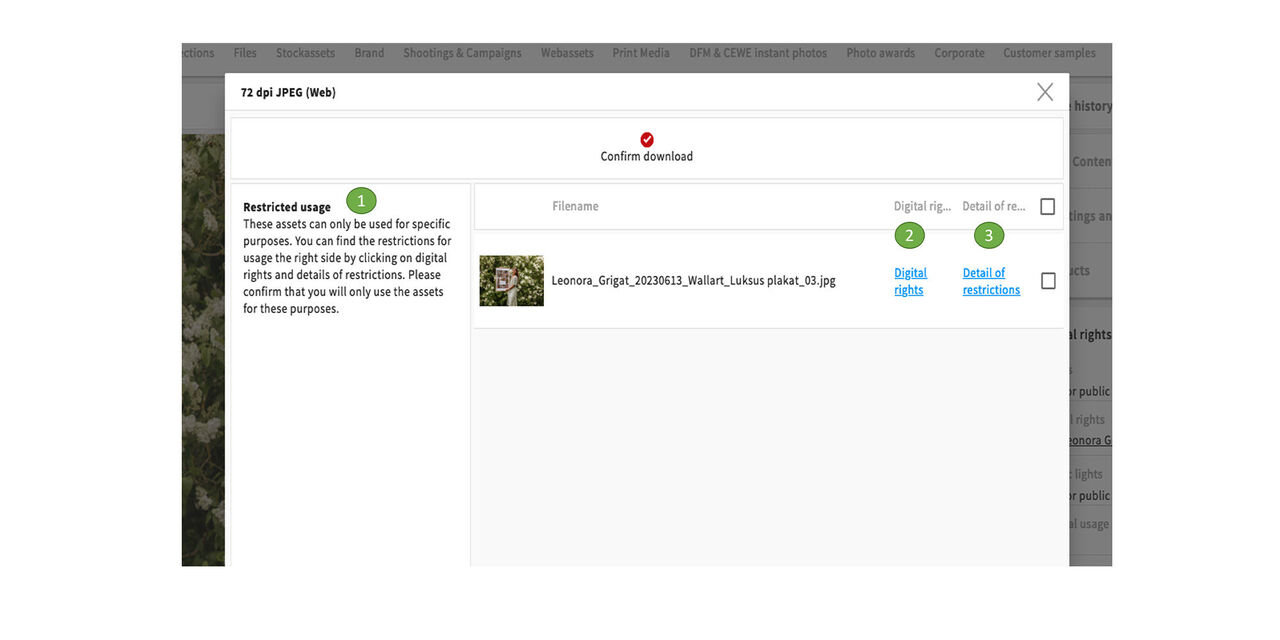
Download information
When downloading an asset which is linked to a restricted license, you will be prompted with the appropriate information regarding usage rights.
- The system informs you about any restricted usage rights
- You can display the complete digital rights
- You can also display the restriction in details
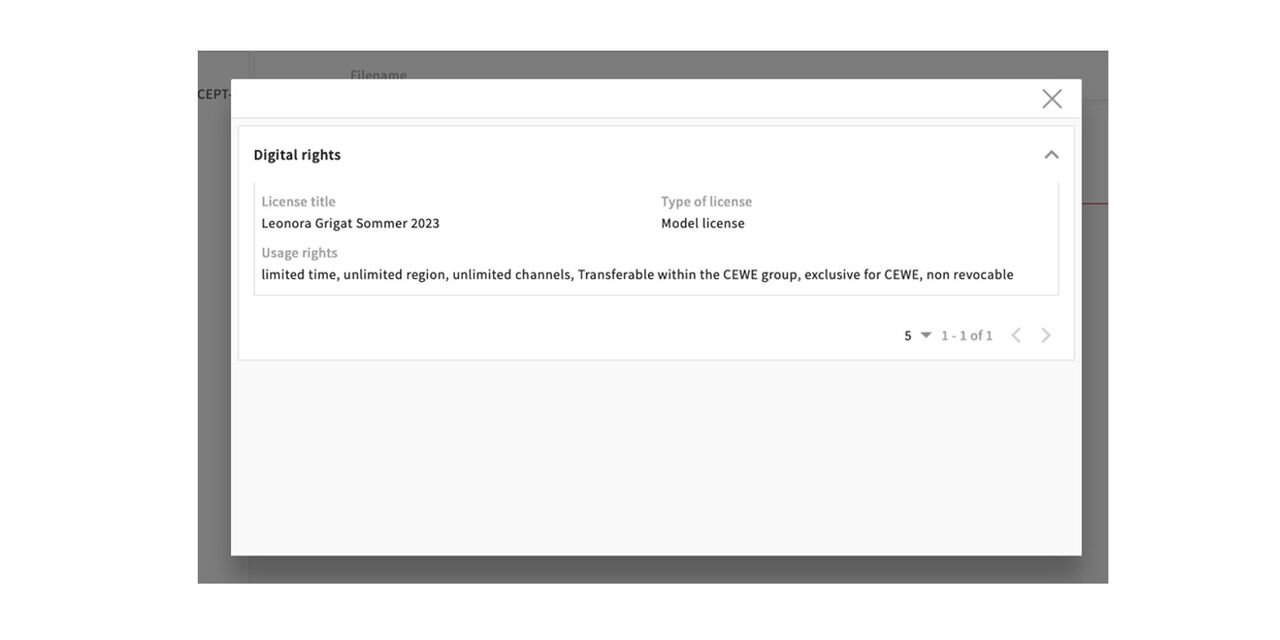
Digital right info
Click on Digital rights to see the list of rights mentioned in the license.
(Please note that this is an example for training purposes that might not reflect the actual information)
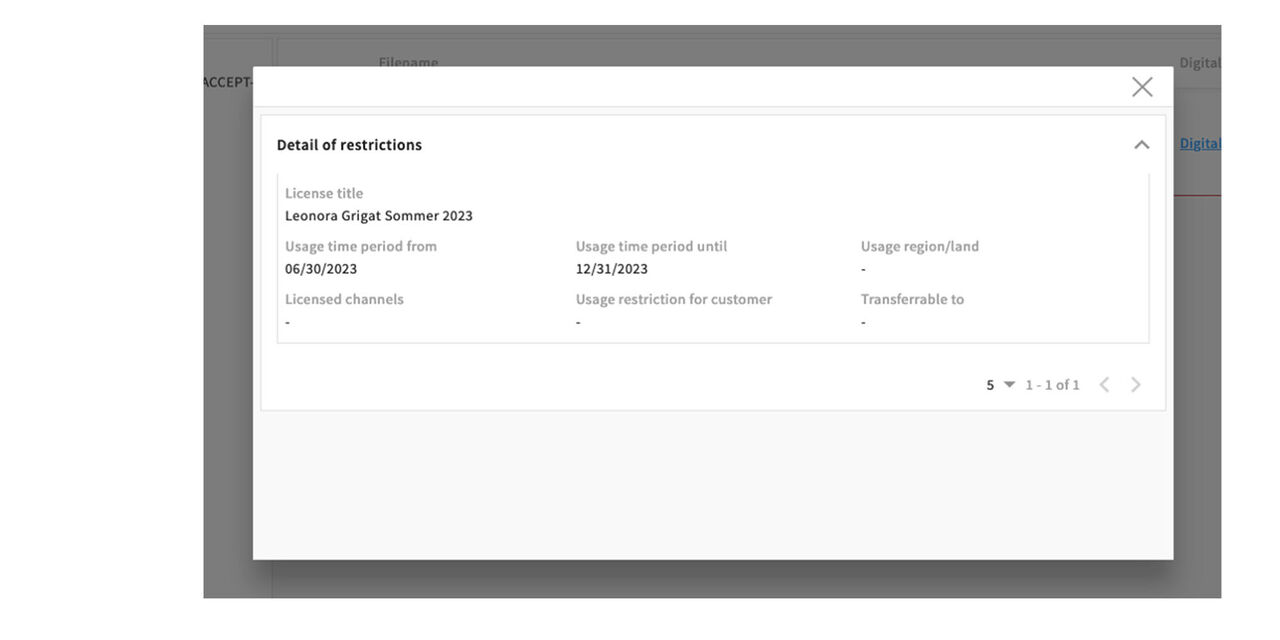
Detail of restrictions
Click on Detail of restrictions to display them. In this case we have a time restriction.
(Please note that this is an example for training purposes that might not reflect the actual information)
Assigning the correct Digital Rights package
Which package do I need to attach when uploading assets
Basic information about Digital Rights packages
We differenciate between standard packages and project packages.
Project packages are created individually for new projects (shootings) based on the contracts with the people involved.
The standard packages cover all recurring, standard image rights cases. Definitions can be found here in the corresponding sections.
Agentur zwanzigzwanzig
The package for shootings (without recognisable people) carried out by this agency.
CEWE Cropping Tool
Webassets created with the help of the Cropping Tool receive this package.
CEWE Veranstaltungen/CEWE Events
For all images that are created and uploaded as part of CEWE internal events, e.g. Innovation Days, summer party, Ship it days, etc.
Fotolia
For images purchased from the Fotolia Stockasset portal, downloaded and then uploaded to CEWE MediaAssets.
Getty images
For images purchased and downloaded from the Getty images Stockasset portal and then uploaded to CEWE MediaAssets.
Kreativshootings Fotostudio OL/Creative shootings Photostudio OL
Creative shoots with products (without recognizable persons) from Fotostudio Oldenburg receive this package.
Nachhaltigkeitslogos und -siegel/Sustainability logos and seals
For all assets that show sustainability logos and seals.
Shutterstock
For images purchased from the Shutterstock Stockasset portal, downloaded and then uploaded to CEWE MediaAssets.
Testsiegel/Test winner seals
For assets with test seals e.g from TIPA Awards, Fototest, etc...
Productshootings UK (no recognisable people)
For originals from product photoshoots at the UK Site.
DeinDesign photoshoot assets.
For original files from DeinDesign product photo shoots.
Productshootings France (no recognisable people)
For original files from product photo shoots at the France site.
Agentur Peter Schmidt Group (PSG)/Agency Peter Schmidt Group (PSG)
Graphics created by the agency for companies within the CEWE Group.
Agentur New C Webzuschnitte
The package for web cuts that are delivered to the Oldenburg site via this agency.
CEWE Brandassets
CEWE Brandassets - for all internal Logos, Seals etc.
CEWE Grafik/CEWE Graphic design
For all assets that have been graphically processed, e.g. retouched, at CEWE.
Externe Logos/External Logos
For logos of other companies of the CEWE Group, for trading partners or cooperation partners, etc.
Fotowettbewerb/Photo award
Only for original material from the Photo awards.
Grafik dm/Graphic design dm
For all assets that have been graphically processed, e.g. retouched, for the retail partner dm.
Mitarbeiterportraits/Employee portraits
For all CEWE employee portraits, e.g. for ID cards or team shoots.
Produktshooting CEWE Fotostudio/Productshooting CEWE Photo studio
For originals from pure product shoots from Fotostudio Oldenburg.
Social Media Reels (erstellt von CEWE/produced by CEWE)
This package is for social media reels created by CEWE and where no people can be seen.
For reels with people, a project package must be created including license owners and featured persons.
Thinkstock
For images purchased and downloaded from the Thinkstock Stockasset portal and then uploaded to CEWE MediaAssets.
Landschaften/Landscapes - CEWE Fotostudio/CEWE Photostudio OL
Landscape photographs created by the CEWE photo studio.
Nordic Content Shootings
For original files from content shoots at sites in Scandinavia.
CEWE Gebäudeaufnahmen (ohne Menschen)/CEWE building images (no people)
Photographs of CEWE buildings at various sites.
Adobe Stockassets (starting December 2025)
For images purchased from the Adobe Stock Assets portal (starting in December 2025), downloaded, and then uploaded to CEWE MediaAssets.
Connecting Digital rights
How to connect the digital rights package with an asset during upload
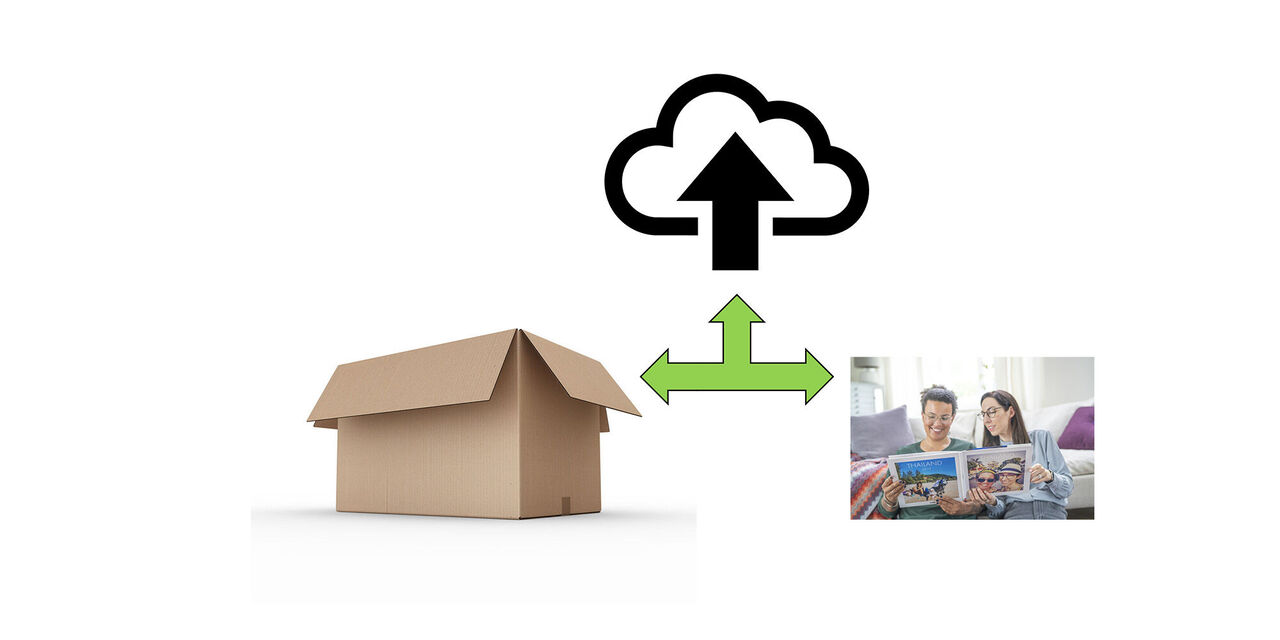
Intro
When uploading an asset we need to attach the corresponding Digital rights package to it.
That might sound complex but is indeed very simple.
We just need to find the right package and add it to the mandatory fields in the import pop-up.
Mandatory keywording
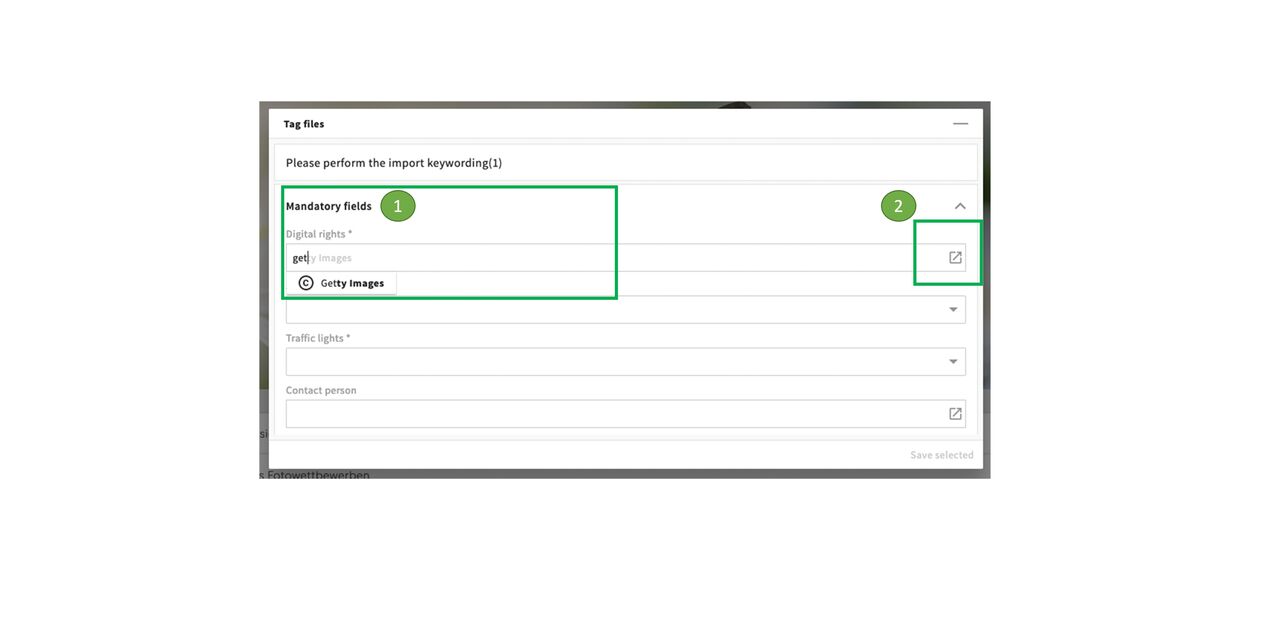
If you want to upload an asset the pop-up for the import tagging shows up as usual.
Digital Rights appears as the first field. If you know how the digital rights package is called you can type in the name directly.
If not, click on the icon to open the search pop-up.
Status and traffic lights
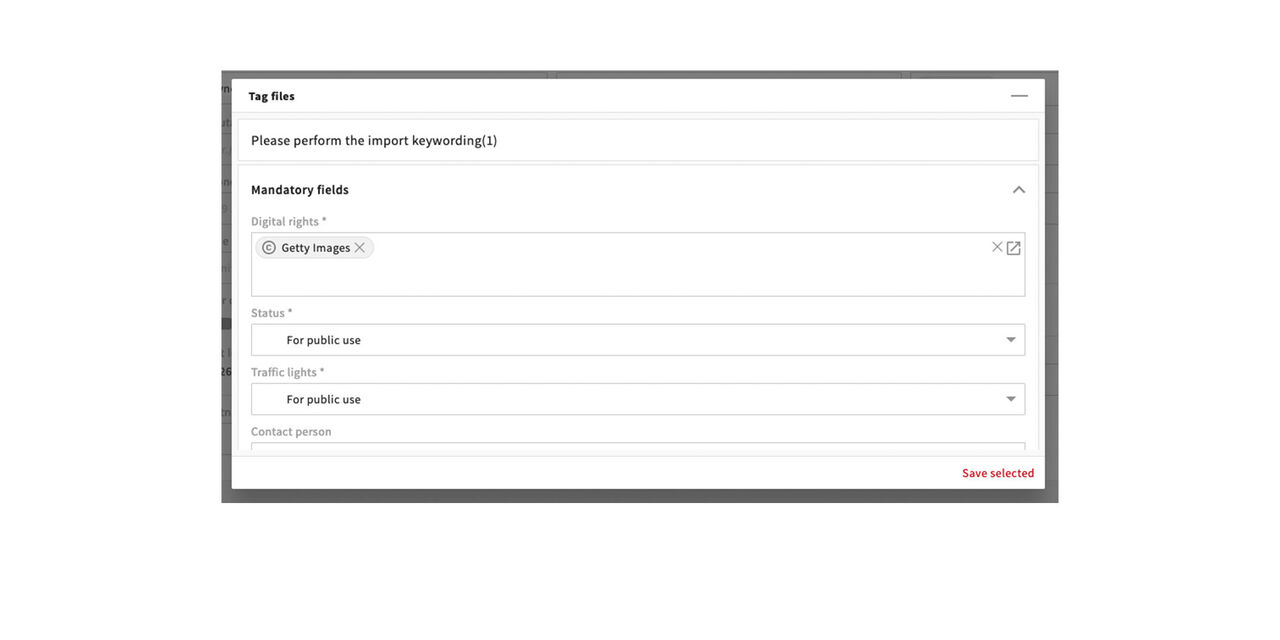
The status is filled in as before, normally For public use, in case of files that should only be seen and used by designers, as Workfiles.
The traffic lights now only have 3 options:
- For public use = everyone can download the asset
- On request = a request for the download has to be made
- Blocked = no one can download this asset
If there are any restrictions regarding the usage they are now entered in the digital rights package and will be shown when you download.
Finding the Digital rights package / Standard
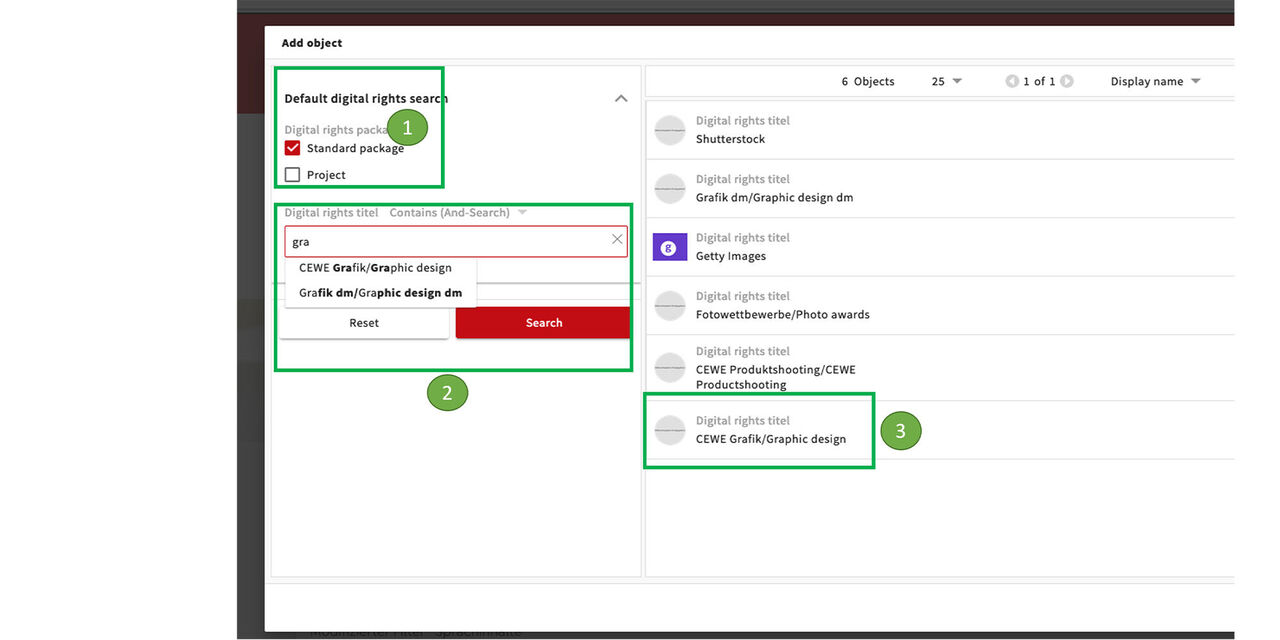
The Digital rights search includes Standard packages and such for particular Projects like Peopleshootings.
- There is a default filter for standard packages, at the moment these are:
- Getty Images
- Shutterstock
- CEWE graphics/graphic design
- Graphics dm/graphic design dm
- Fotowettbewerbe/Photo awards
- CEWE product shooting/CEWE product shooting (for pure product shootings, without people)
You can also search for titles in the search filter.
Graphic designers use CEWE Graphics/Graphic design e.g if they upload a retouched image.
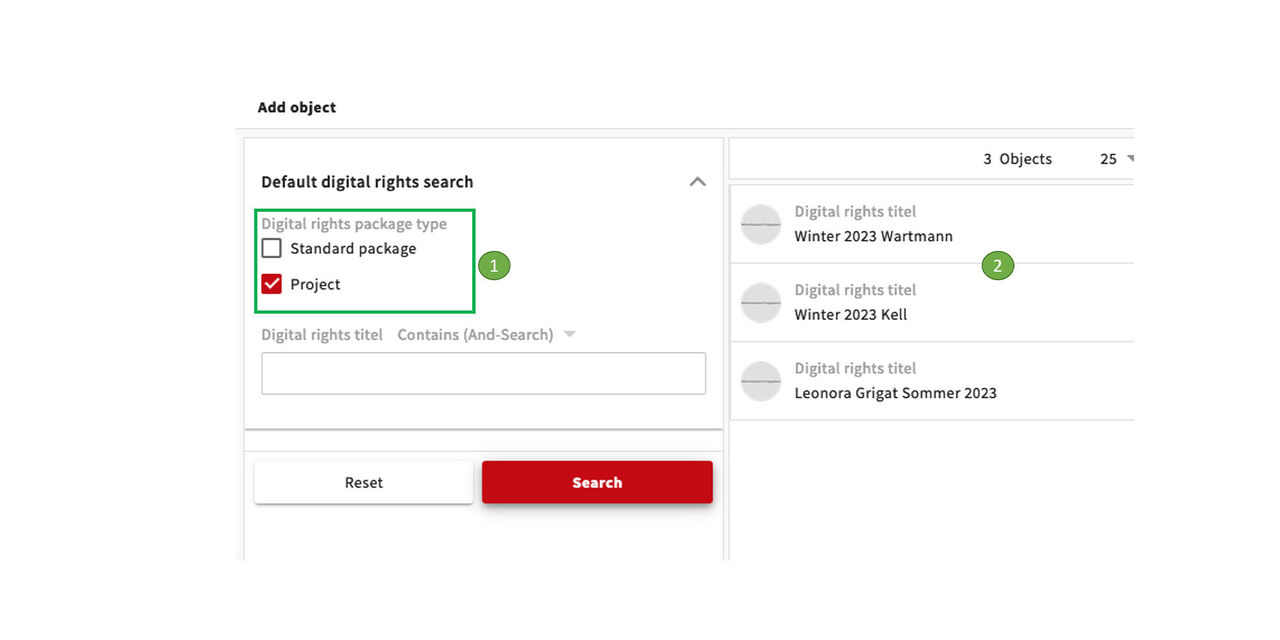
Finding the Digital rights package / Project
Instead of Standard packages we select "Project"
We see the project related packages:
- Winter 2023 Wartmann
- Winter 2023 Kell
- Leonora Grigat Sommer 2023
These are Digital right titles corresponding to the Shooting titles.
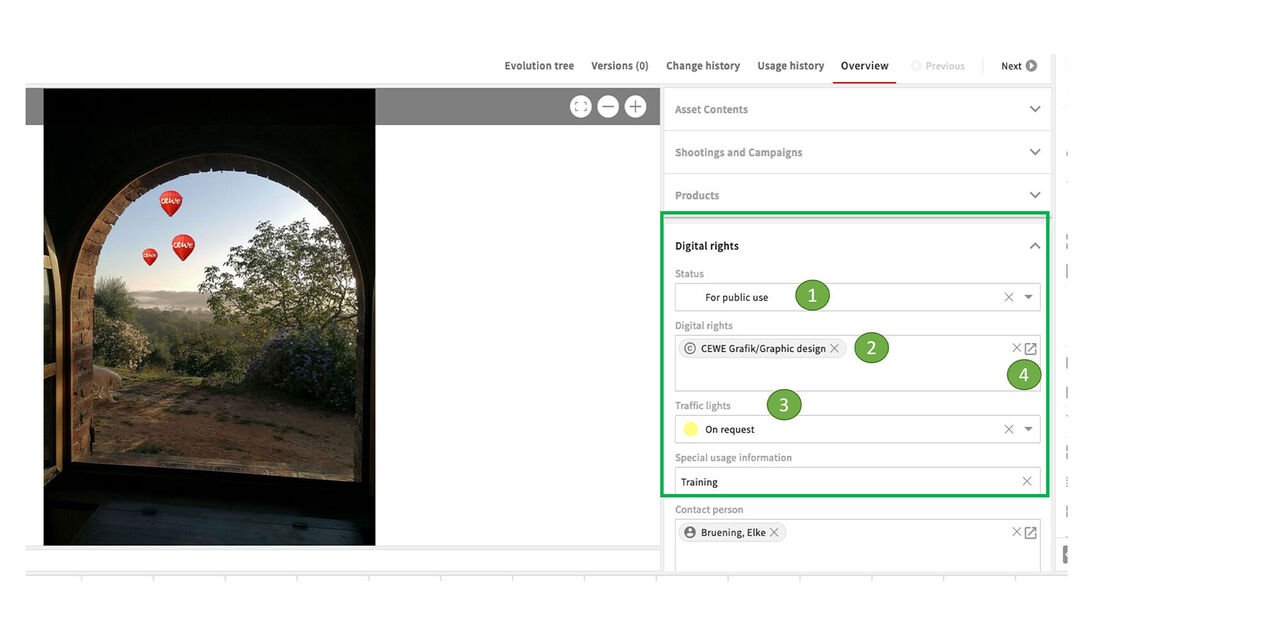
Digital rights in metadata
After all other necessary metadata has been entered and the asset has been uploaded, everything is visible in the metadata.
The Digital rights section includes:
- Status
- Digital Rights Package
- Traffic light
- Other packages can be searched for via the icon and changes or corrections can be made if necessary.
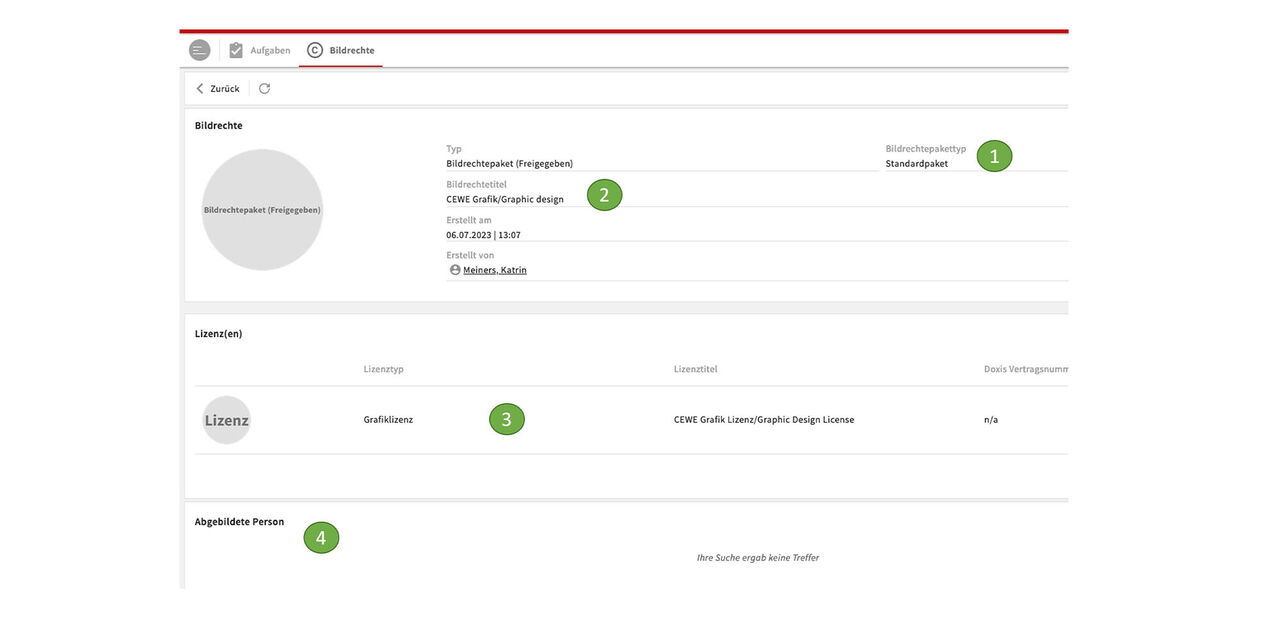
Display package
By clicking on it we open the package to see the details:
It is a Standard package
It's called CEWE Graphics/Graphic design
The stored license type Graphics license and the license title CEWE Grafik Lizenz/Graphic Design License
There are no Featured persons in this package
Digital Rights - Search and filters
Search functions and filters to find Digiatl rights packages and linked assets
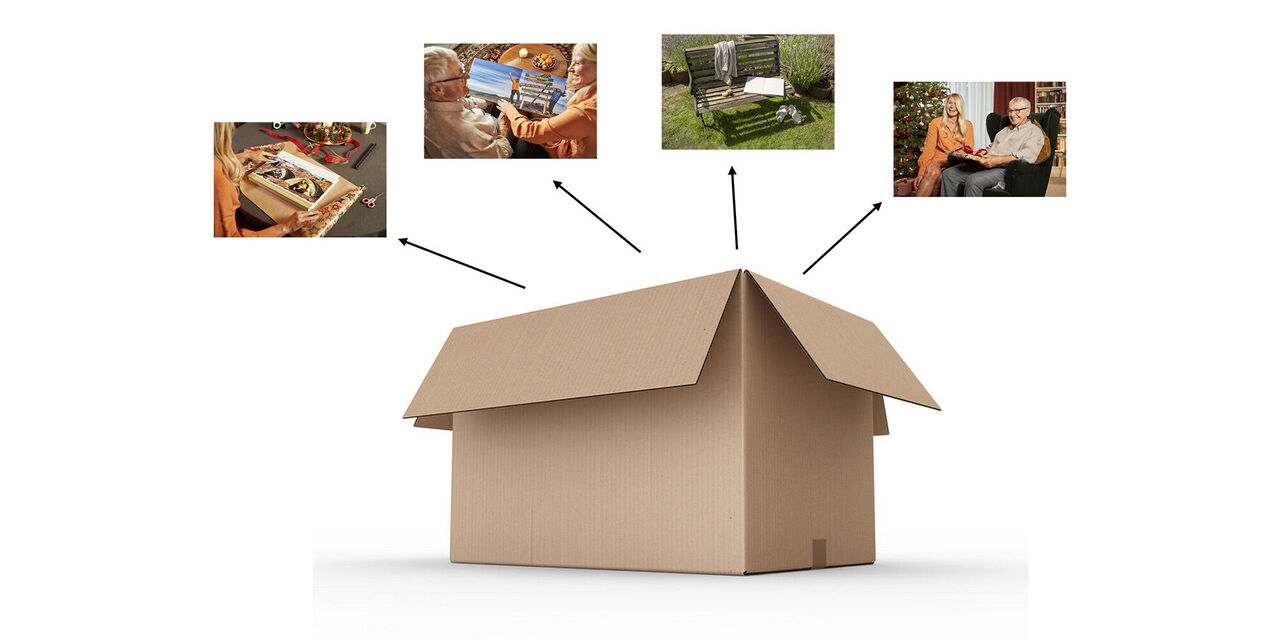
Intro
Our search filters not only allow you to search for specific Digital rights packages, but also to search for assets that are linked to these packages.
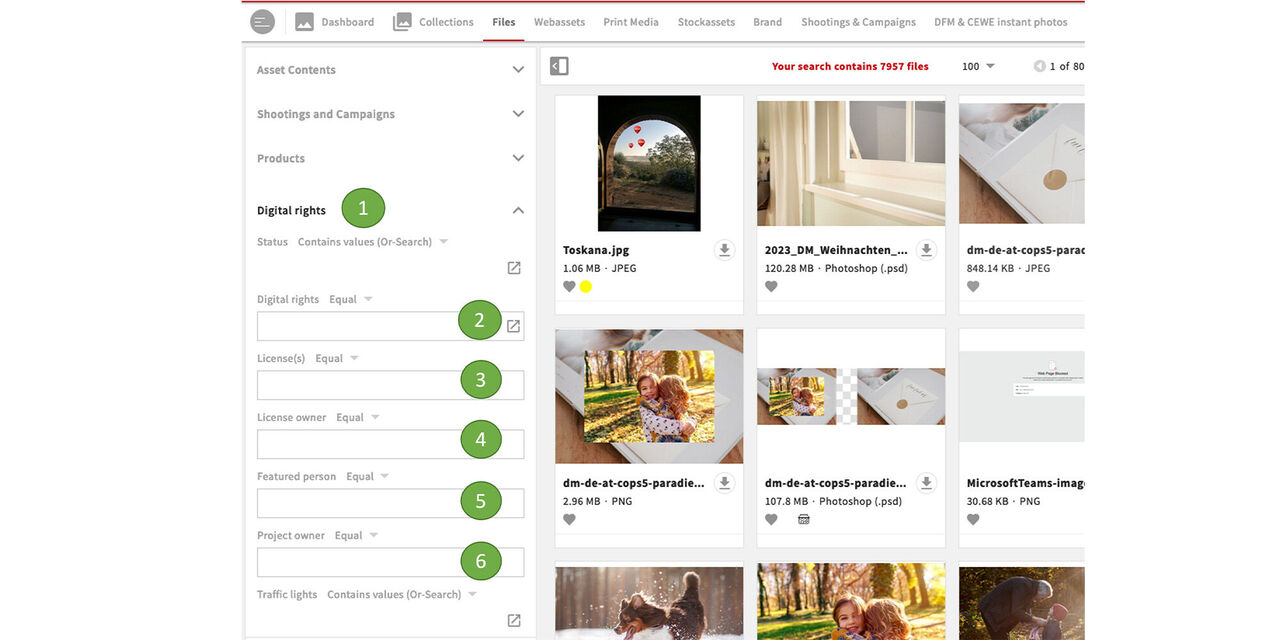
Filter
In the search in the files section as well as the other specialised sections we find the main category Digital rights with its subcategories. These are free text fields that can be filled with data you know to find associated assets.
- Digital rights - main category
- Image Rights - search for Digital rights packages
- Licenses
- License owner
- Featured persons
- Project owner
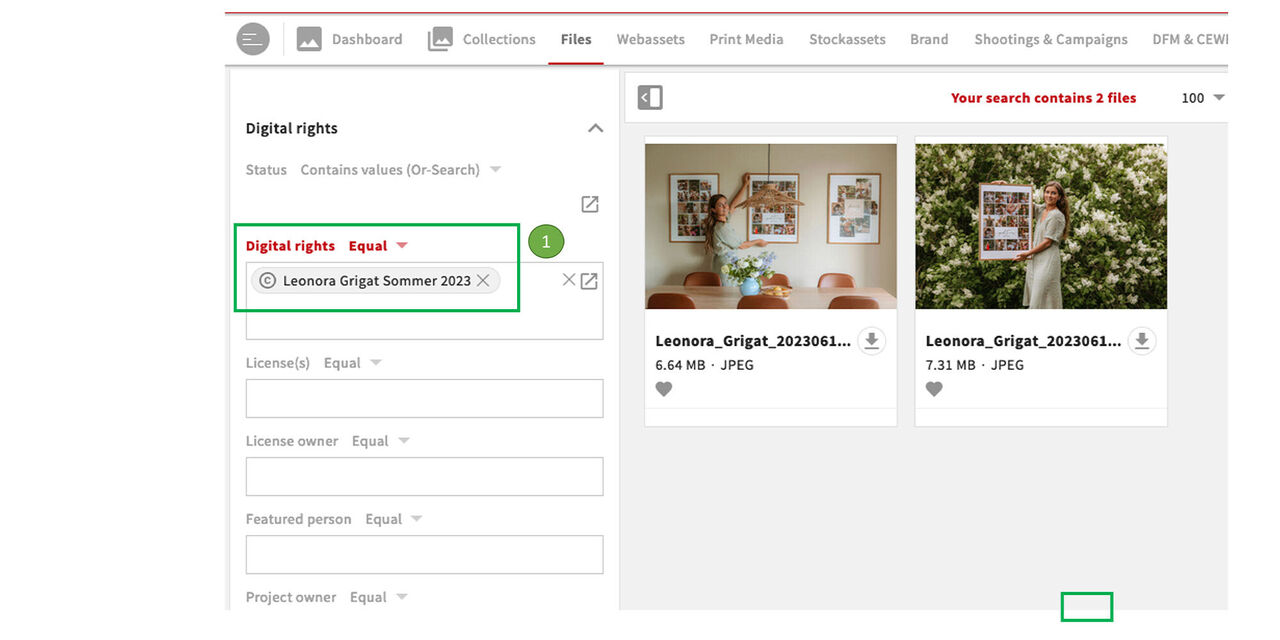
Search by name
Enter a Digital rights title in Digital rights and you'll see assets associated with that Digital rights package.
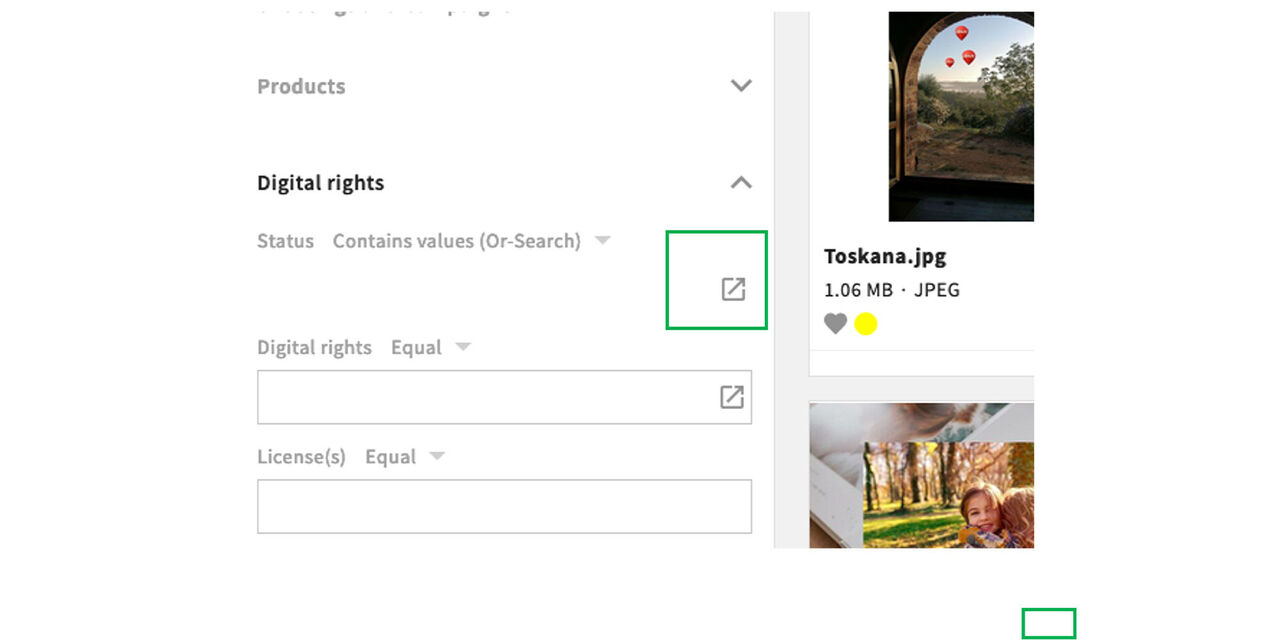
Search for a package
If you do not know the title of a digital rights package, then click on the icon to look for packages.
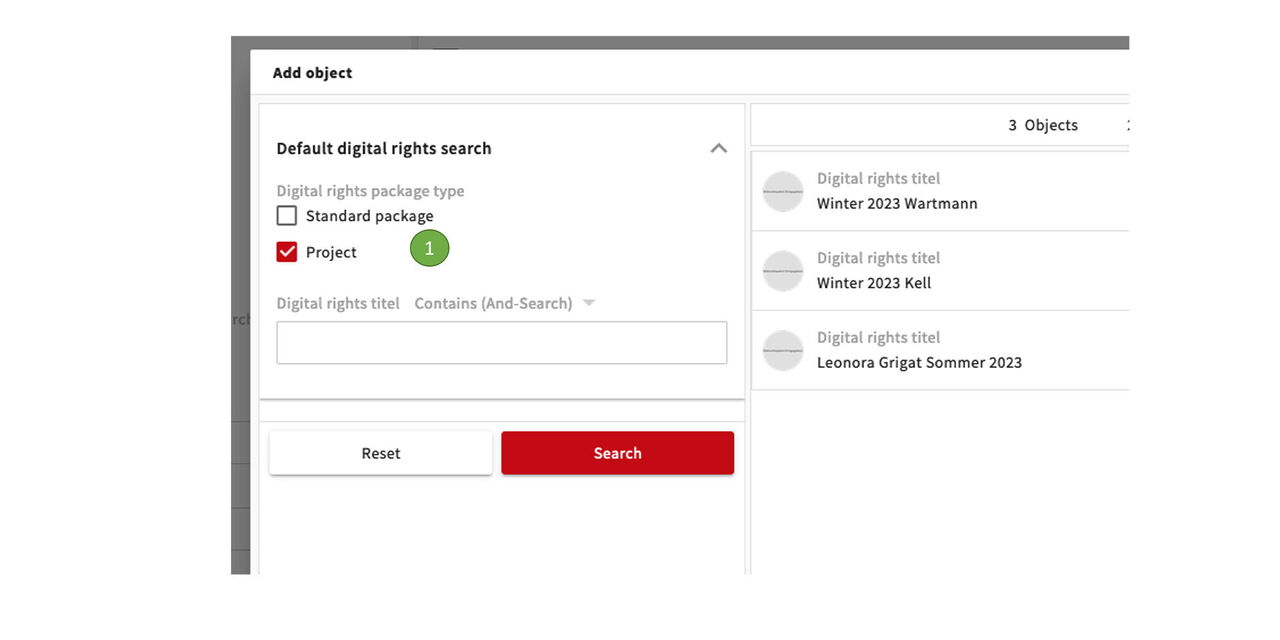
Digital rights title
Now you can choose again between Standard package and Project and look for titles of packages.
This could be a shooting project like Leonora Grigat Summer 2023 as well as Standard package like Getty images or CEWE Grafik/Graphic design
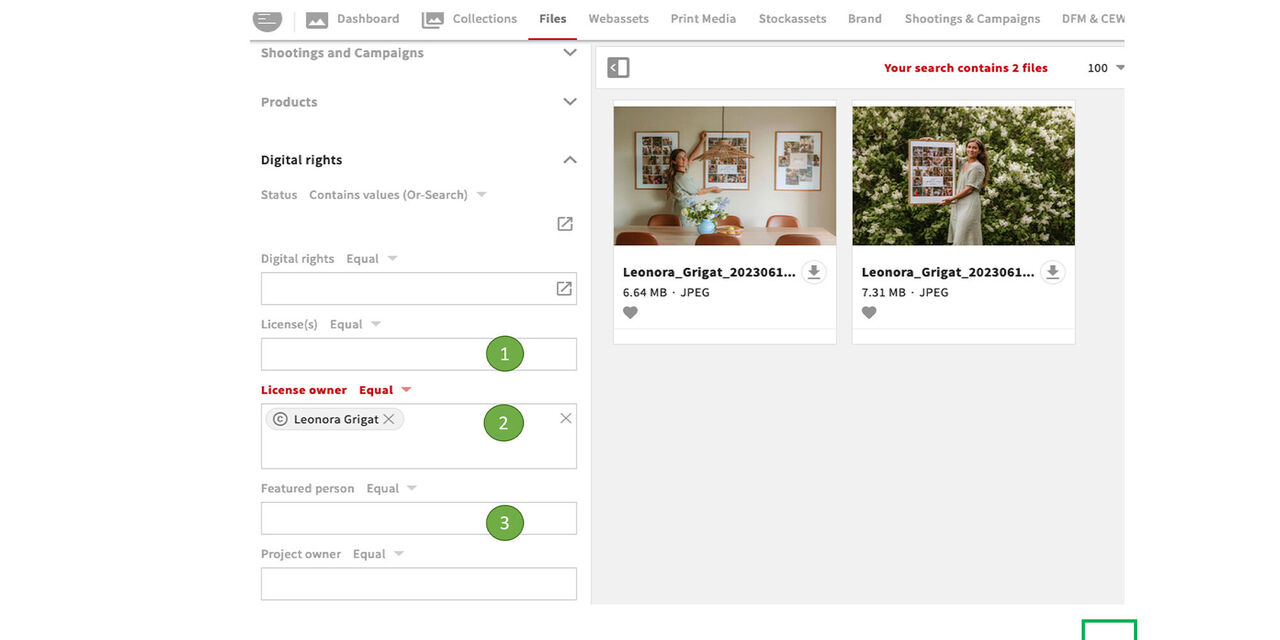
Other options
You can filter with other options as well.
- Via License you will find the assets that are linked to the respective license
- Via License owner you will find the assets associated with this License owner
- And via Featured person you can find assets showing this person