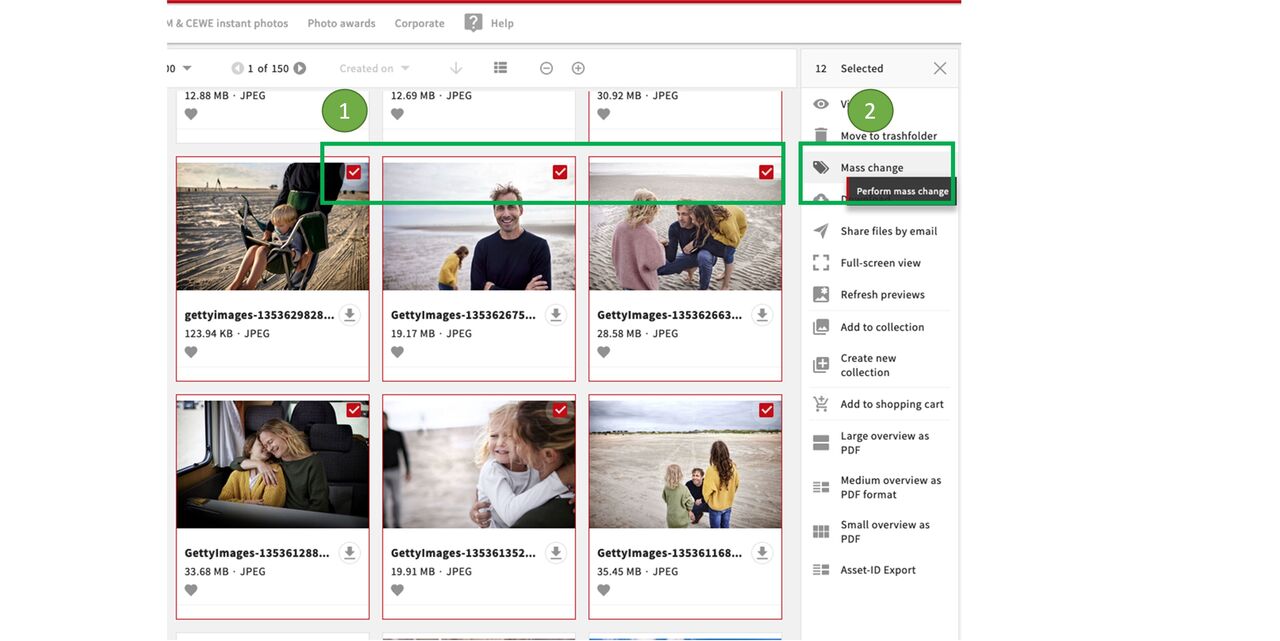
Select files and mass update
This feature is very useful to collect similar assets and retrieve them as a series.
The field stockasset series allows you to link all files belonging to a stockasset series. It can be helpful to put the files into a collection before you link them, so that you easily able to find them in the linking process.
Select all files that should be linked
Go on mass update
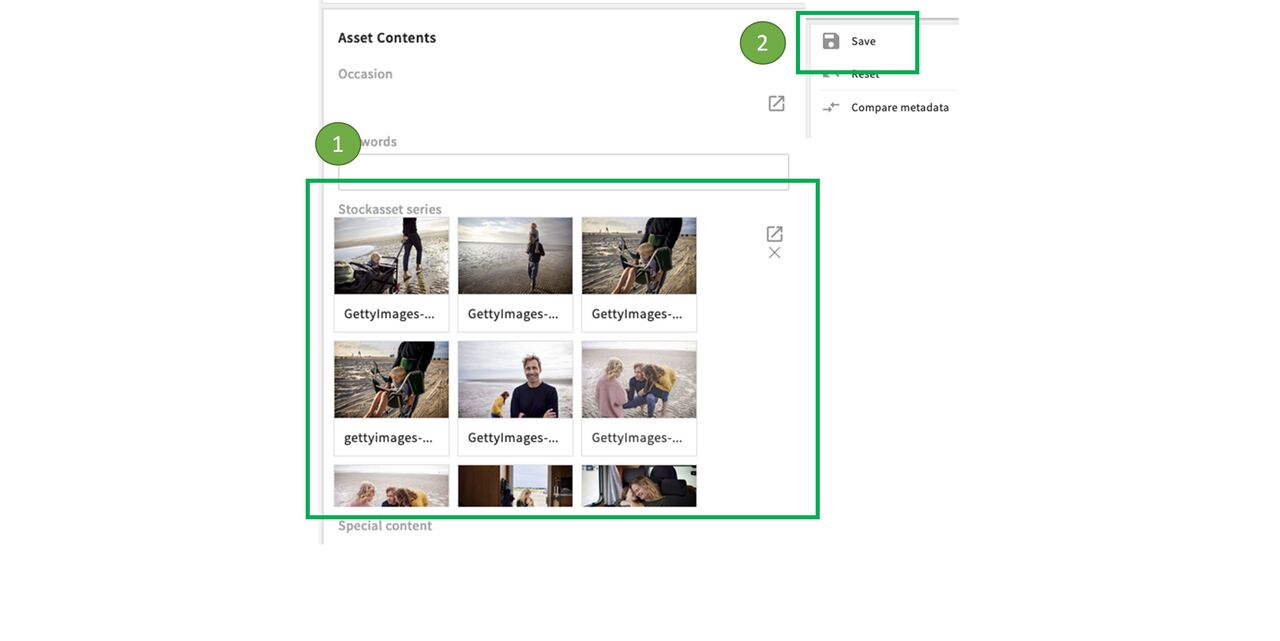
Add files to field and Save
Open the Asset contents
Add the files via the plus symbol or the little box with the arrow (if applicable use the collection you created earlier to find them)
Click on Save
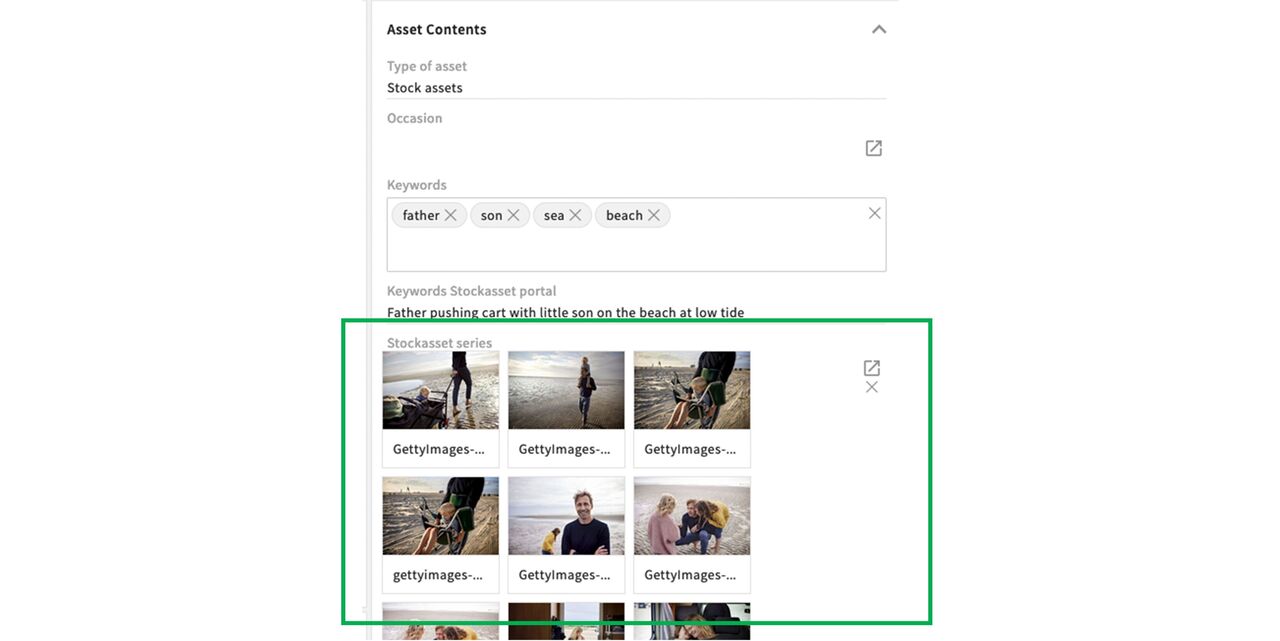
Series in Metadata
After saving you can see all linked files in the metadata. You can open files by clicking on the eye symbol on the tiles.
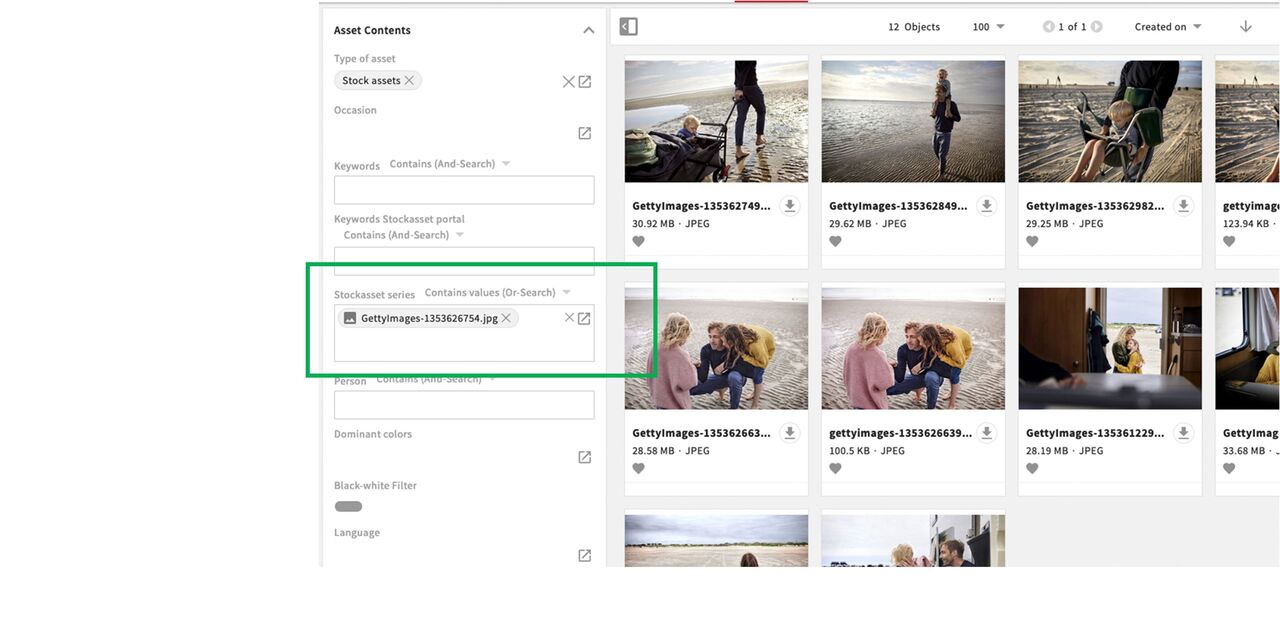
Search for stockasset series
To find the complete series, use the filter option (available in Files and Stockassets). If you add an image from the series the search will show you all the images in this series. You can even add images from several series to the filter and use the Or Search option to find images from several series.